Wijjit Documentation
Wijjit helps you build rich terminal user interfaces from Jinja2 templates. Views are declared with decorators, layouts use expressive template tags, and the runtime takes care of state, focus, mouse, and rendering.
Because the UI is a template rather than a tree of widget classes, it stays a static artifact your tools can read — lint it, dump its DOM, or drive it with scripted keys, all without a terminal:
wijjit validate app.py --json                  # structured findings + exit code
wijjit tree app.py --json                      # the DOM, without running the app
wijjit render app.py --keys "tab,type:alice"   # the rendered screen, no TTY
Your UI is text, and so is everything the tooling hands back — which is what makes a Wijjit app easy to write, test, and understand, whether the author is a person or an LLM.
Coming from web dev? Wijjit is “Flask for the console” on the surface — @app.view, Jinja2 templates, @app.on_action, reactive state — with a virtual-DOM reconciler underneath.
How Wijjit compares
The Python terminal-UI space already has excellent tools. Wijjit is deliberately a different point on the spectrum:
Rich is for output — beautiful styled text, tables, and progress bars printed to the terminal. Wijjit uses Rich internally for exactly that, then adds a full interactive application layer on top (focus, events, overlays, re-rendering).
Textual is a full app framework built around object-oriented widgets composed in Python and styled with a CSS-like language. It is powerful and deep.
Wijjit takes the web mental model instead of the widget-tree one: you write Jinja2 templates for layout and Flask-style decorators (
@app.view,@app.on_action,@app.on_key) for behavior, backed by reactiveState.
The template is the point. A UI expressed as text — rather than as classes, a compose() generator, and a stylesheet — is one an external tool can read without executing it. That is what buys the static linter, the JSON DOM dump, and the one-command headless render. If you think in templates and request handlers rather than widget classes, Wijjit will feel like home.
Why Wijjit
Web-style ergonomics – register routes with
@app.viewand bind to state just like Flask or FastAPI.Jinja-first layout system – compose frames, stacks, inputs, and display widgets with template tags instead of manual cursor math.
Lintable before it runs –
wijjit validatestatically catches unknown tags, undefined variables, bad attributes, and a missing loopkey=— a bug that would otherwise only show up when a user reorders a list. See Testing Your App.Reactive state –
Statetracks mutations, schedules renders, and keeps elements in sync automatically.Full interaction model – keyboard, mouse, focus traversal, overlays, dialogs, and notifications are provided out of the box.
Cheap updates – a virtual-DOM reconciler diffs re-renders into a cell buffer, so a changed widget writes a few dozen bytes instead of repainting the screen. An idle frame writes nothing at all. See Performance.
Built to be tested – a headless harness drives real apps without a TTY, plus a
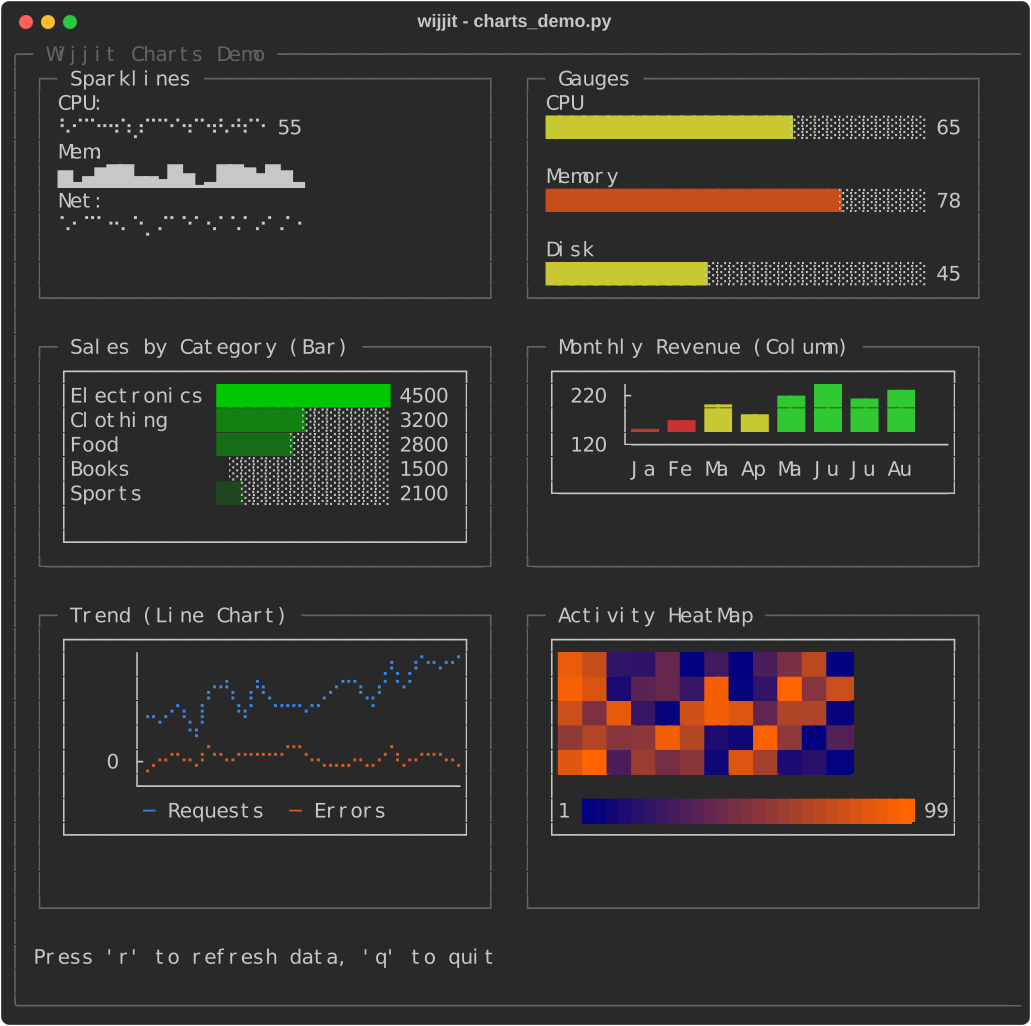
wijjitCLI to validate templates and dump the render tree.Batteries included – 36 elements: six chart types, an image viewer, a code editor with autocomplete, and an editable data grid, with no plugins required.
Production features – 74 runnable examples and roughly 3,800 tests across Linux, macOS, and Windows on Python 3.11–3.13.
Quick Example
from wijjit import Wijjit, render_template_string

app = Wijjit(initial_state={
    "username": "",
    "password": "",
    "status": "Please enter your credentials",
})

@app.view("login", default=True)
def login_view():
    return render_template_string("""
{% frame title="Login" border="single" width=50 %}
  {% vstack spacing=1 padding=1 %}
    {{ state.status }}

    Username:
    {% textinput id="username" placeholder="Enter username" width=30 %}{% endtextinput %}

    Password:
    {% textinput id="password" placeholder="Enter password" width=30 action="login" %}{% endtextinput %}

    {% hstack spacing=2 %}
      {% button action="login" %}Login{% endbutton %}
      {% button action="quit"  %}Quit{% endbutton %}
    {% endhstack %}
  {% endvstack %}
{% endframe %}
        """)

@app.on_action("login")
def handle_login(event):
    if app.state["username"] == "admin" and app.state["password"] == "password":
        app.state["status"] = "Welcome!"
    else:
        app.state["status"] = "Try admin/password"
        app.state["password"] = ""

@app.on_action("quit")
def handle_quit(event):
    app.quit()

if __name__ == "__main__":
    app.run()
Next steps:
Quick Start – walkthrough of views, state, and actions.
Core Concepts – architecture, data flow, and lifecycle.
Examples – gallery of runnable demos.
Documentation Contents
Getting Started
User Guide
API Reference
Developer Guide
Project Status
Wijjit is at its first public release (0.1.0) and is stable and feature-complete for that milestone. The core framework already powers advanced layouts, async workflows, and complex widgets, with a set of documented known limitations tracked for follow-up releases. See Examples for inspiration and Architecture for a deeper dive into the runtime pipeline.
Known limitations for 0.1.0:
No virtual scrolling — every row of a
Table,ListView, orTreeis laid out on each render. Page or filter very large datasets before rendering them.Wide characters are column-correct on the standard text path only — text rendered through templates and frames handles CJK/emoji/decomposed accents at their true width, but elements that paint cells directly (
TextArea,Tree,ListView, pre-rendered ANSI content) can still misalign wide glyphs.Third-party elements are leaf-only — the plugin seam registers self-closing and simple-body widgets; custom containers (which need layout-tree and validator integration) are deferred.
Template auto-reload is development-only — file-backed templates can reload automatically with
TEMPLATE_AUTO_RELOAD, but packaged or embedded templates still require a restart to pick up changes.``RUN_SYNC_IN_EXECUTOR`` does not cover action handlers — it moves blocking
@app.on_key/ mouse / change handlers onto a worker thread, but@app.on_actionhandlers (what buttons fire) are invoked inline, so the setting has no effect on them.Some Windows alt-key combinations are not delivered by the underlying terminal input layer.
Links
Changelog: CHANGELOG.md
Examples: examples/